-(1).png)
Changing Business Plan Template
Crafting a business plan is an essential step for any entrepreneur, serving as a roadmap for the journey ahead. However, as your business evolves, so too might your vision and strategy, necessitating a change in how you present and structure your plan.
User has the flexibility to change their business plan template. This adaptability is crucial for aligning your business plan with current objectives and strategies.
Reasons to Change the Business Plan Template:
Steps to Change the Business Plan Template:
- 1
-
It's essential to Reset your current business plan before applying a new template. This step ensures a clean slate, preventing any formatting or content issues.
Choose Company and open Business Plan.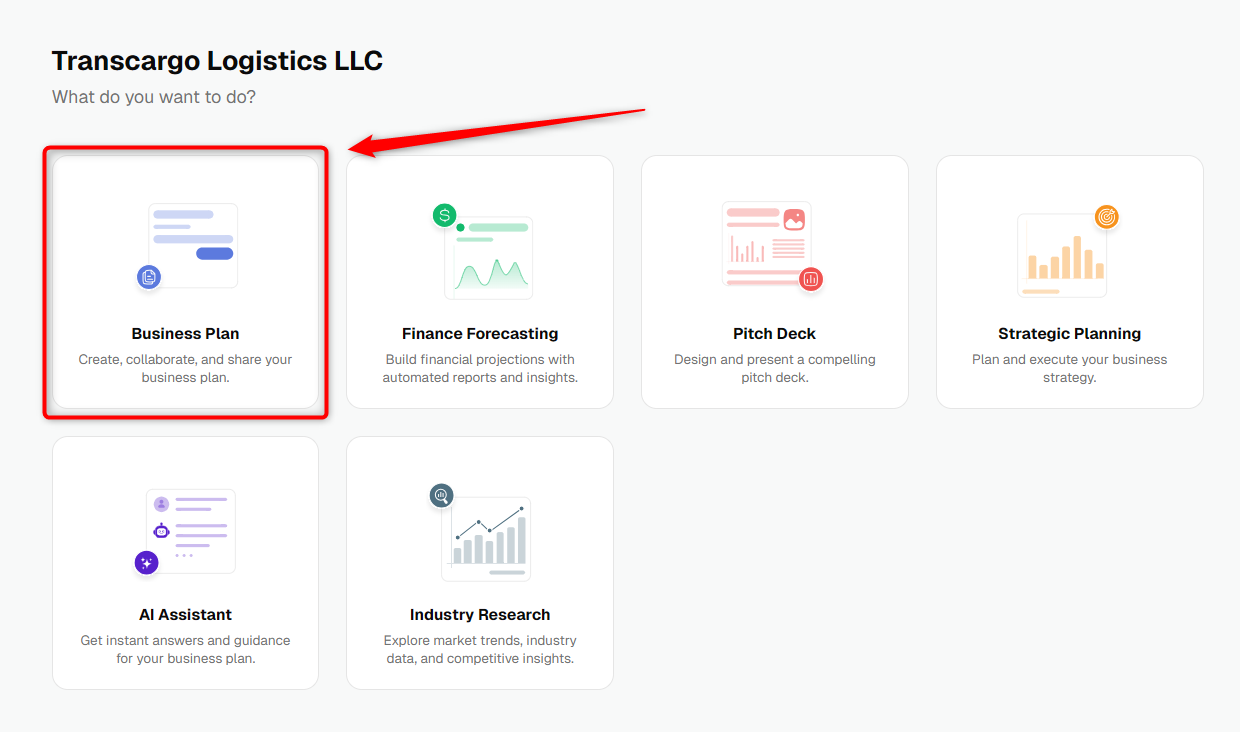
- 2
-
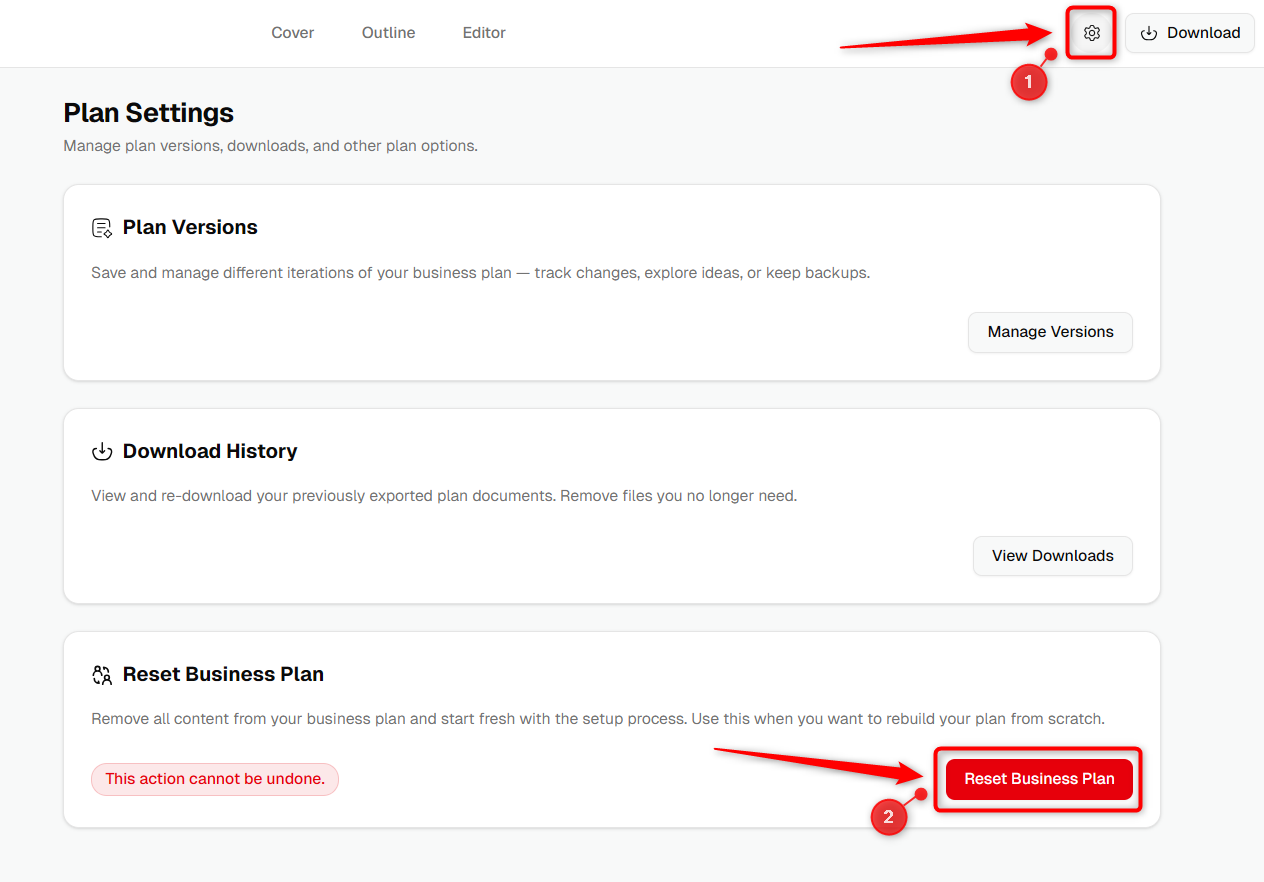
Look for the Setting section within your Business Plan and locate the Reset Business Plan option.
- 3
-
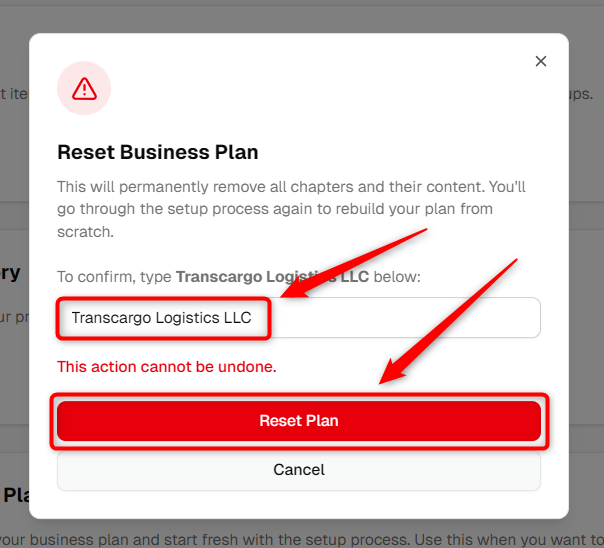
Upon clicking Reset Business Plan, a confirmation popup will appear. Enter the correct company name and click on the Ok, Reset to proceed. This action will clear your current business plan details.
- 4
-
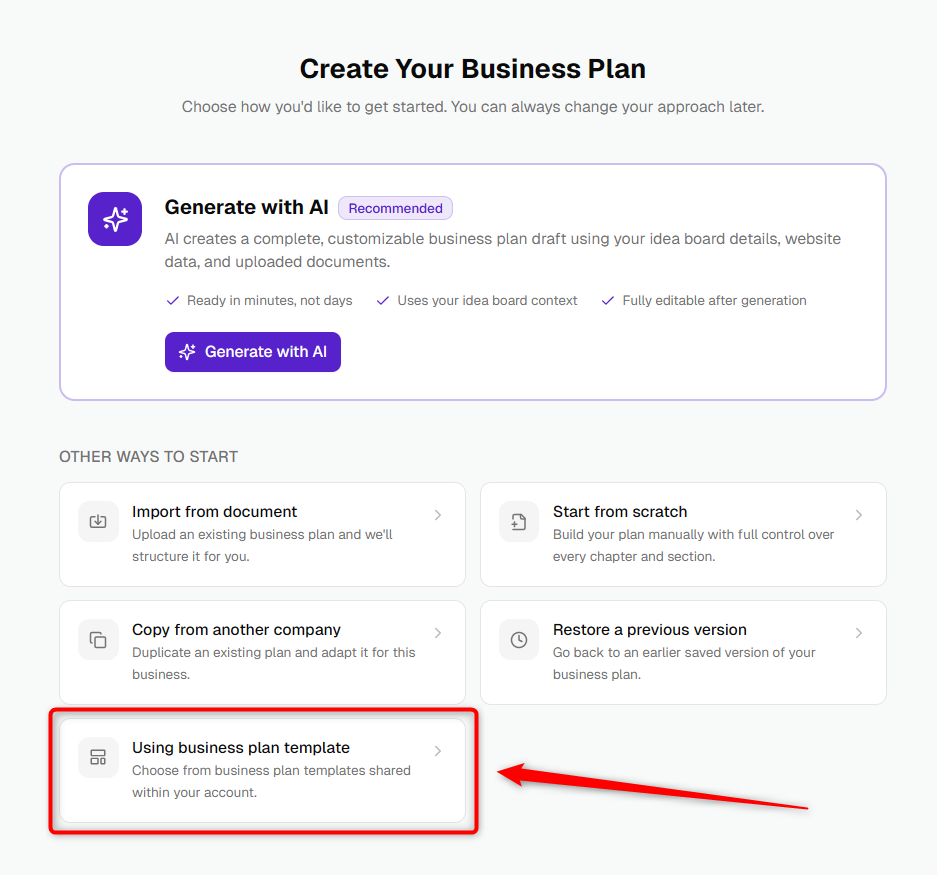
After resetting, the system automatically takes you to the template selection page. Choose the configuration option that fits your business plan needs. Visit here for detailed steps on how to configure a Business Plan.
- 5
-
After selecting your preferred option, continue with the business plan creation process.
By following these steps, you can efficiently change your business plan template, ensuring your plan aligns with your current business objectives and strategy.