-(1).png)
Create Your Business Plan Using AI Assistant
In today's fast-paced business landscape, Artificial Intelligence (AI) has become a key player in streamlining complex processes, including the creation of business plans.
By integrating AI Assistance, transforming how business plans are created. This feature simplifies the complex steps involved in crafting a strategic plan, offering personalized guidance to ensure that every plan is not only comprehensive but also uniquely aligned with the business's goals.
An AI assistant not only streamlines the planning process but also provides a level of customization and insight previously unattainable, making it essential for crafting a comprehensive business strategy.
Feature of AI In Business Plan Builder
- AI-powered Business Profile: Build your business profile by sharing a website, uploading a business document, or chatting with AI. The system automatically extracts and organizes your business information.
- AI-generated Business Plans: Generate a complete business plan using the information stored in your Business Profile.
- AI-powered Suggestions: AI continuously analyzes your business information and provides suggestions to improve your plan.
- Interactive Feedback Loop: As you update your Business Profile, AI uses the latest information to generate more accurate business plans and forecasts.
How to complete your Business Profile
- 1
-
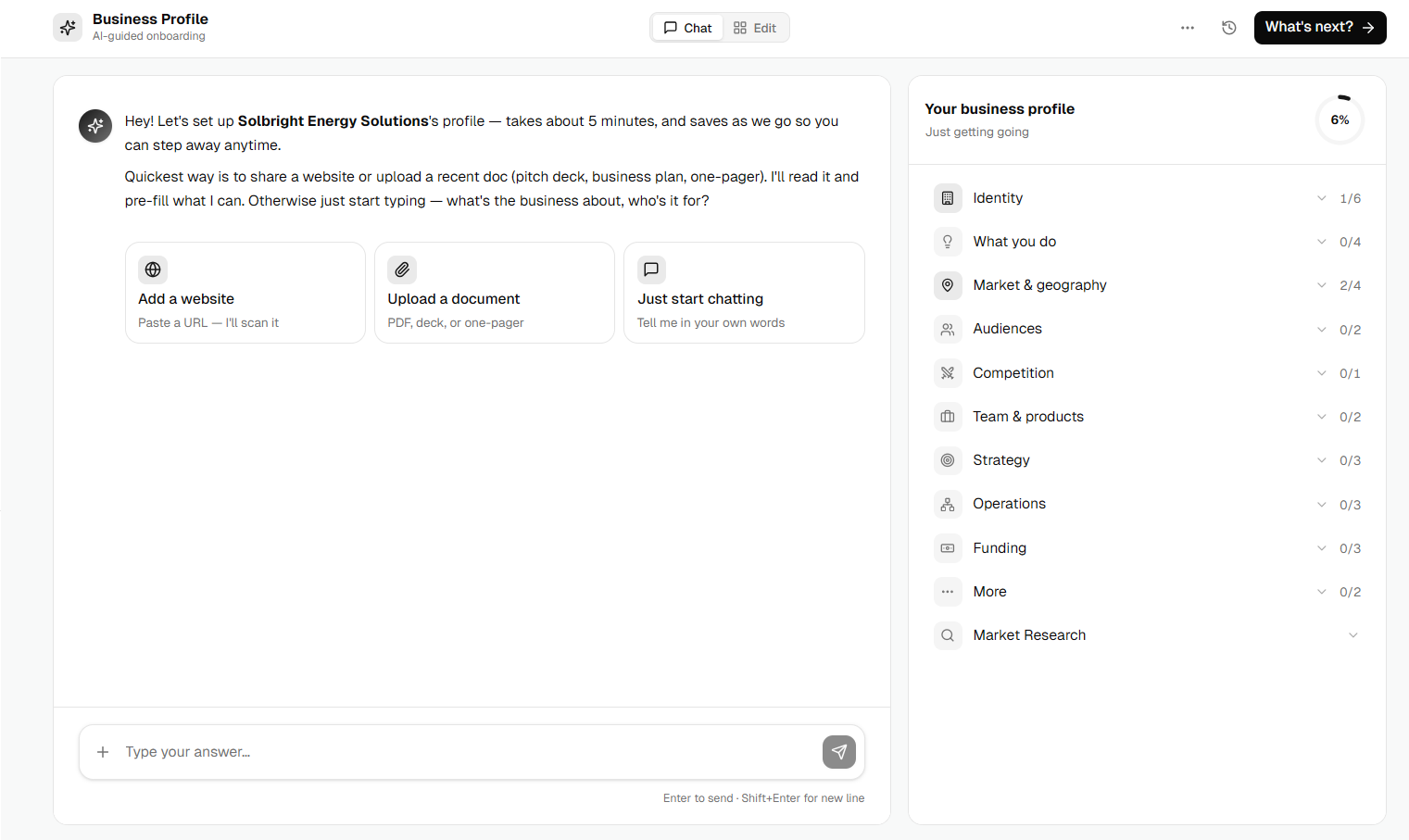
After completing your company setup, you'll be taken to the Business Profile. Choose one of the available options to provide your business information:
- Add a Website to automatically extract business details.
- Upload a Document such as a business plan, pitch deck, or one-pager for AI to analyze.
- Just Start Chatting and describe your business in your own words.
- 2
-
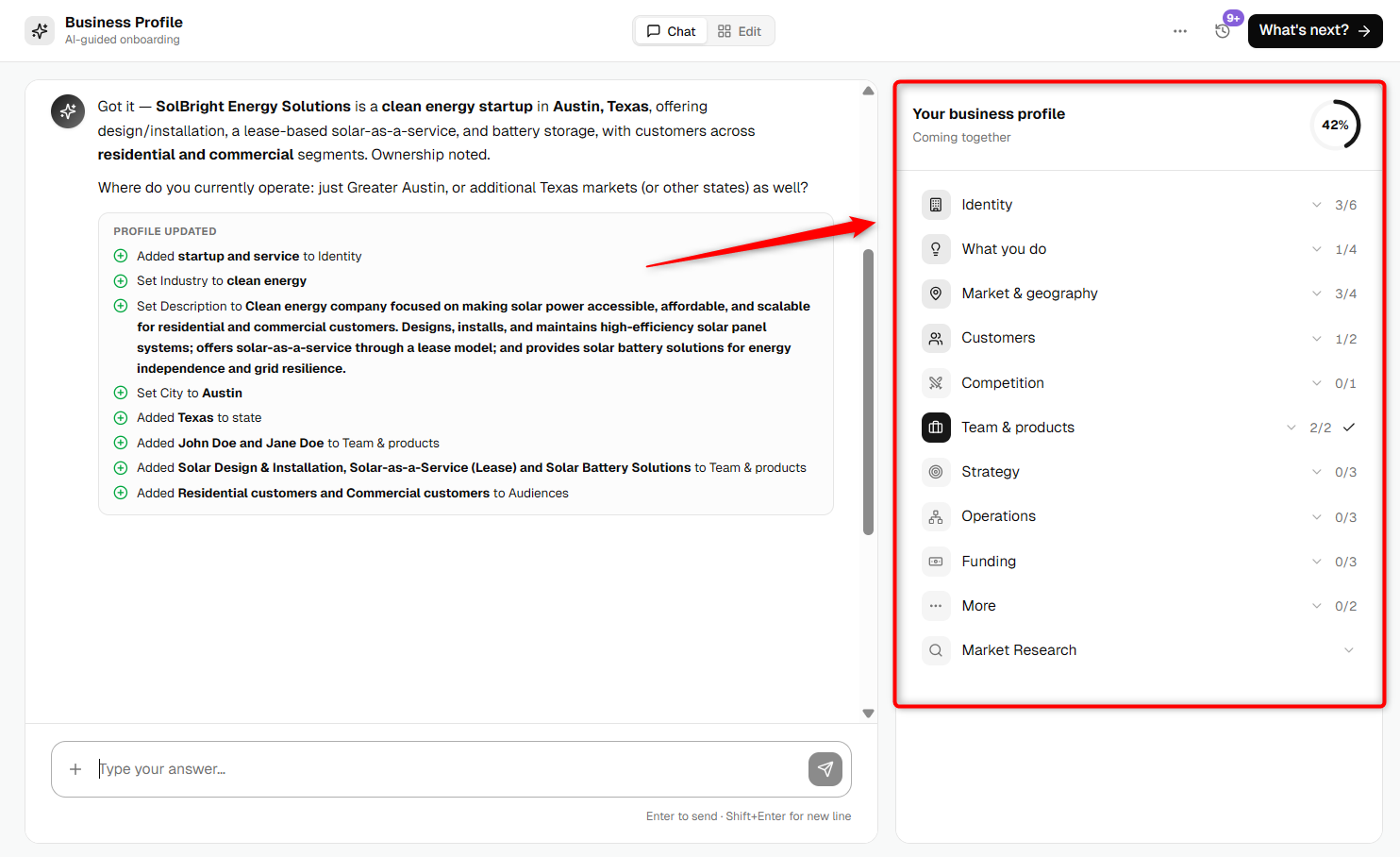
As you provide information, the Your Business Profile panel on the right displays your overall completion progress and highlights which sections have been completed.
You can expand each category to review the information AI has already collected.
- 3
-
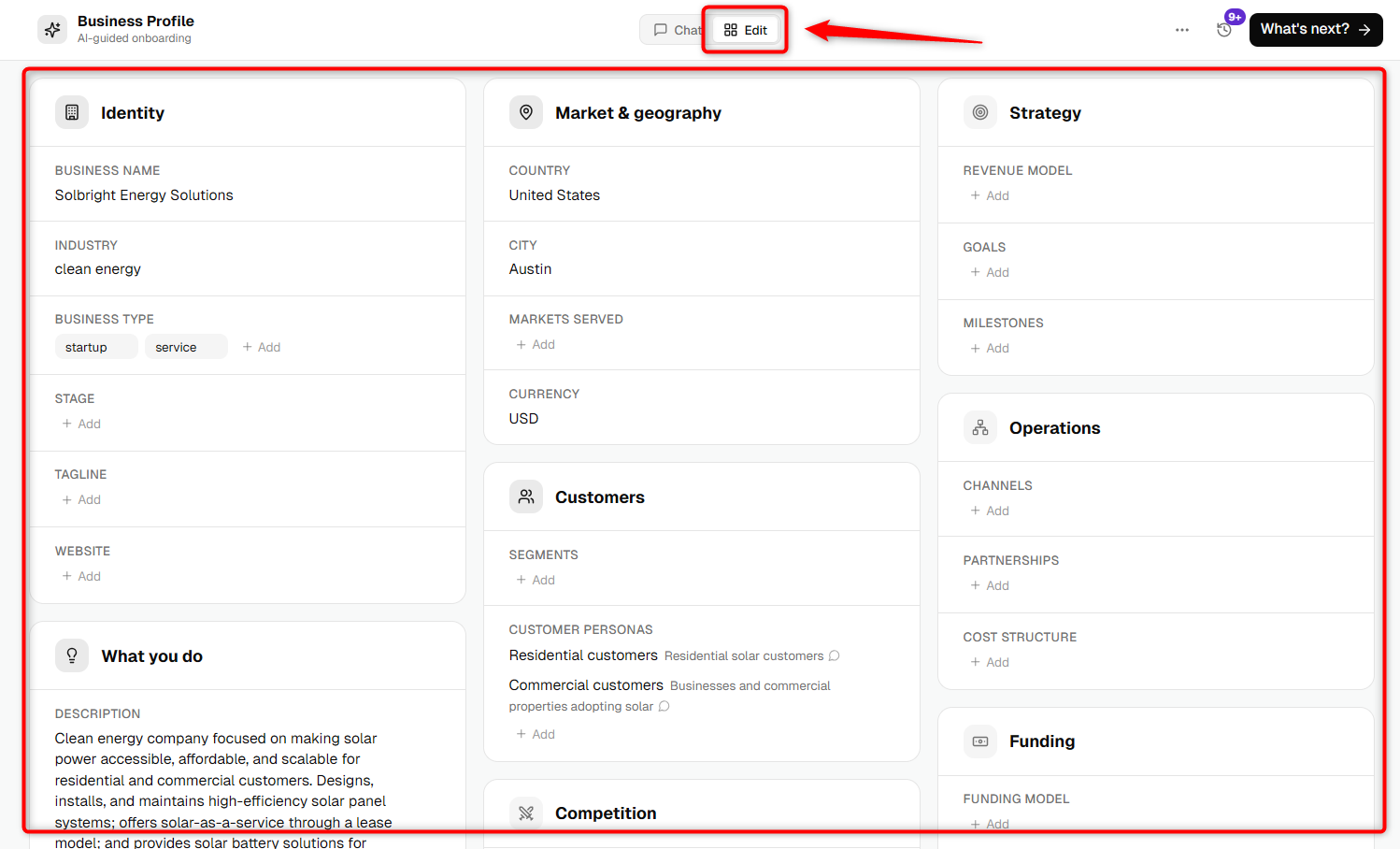
If you'd like to review or manually update any information, click the Edit tab at the top of the page.
This opens a structured Business Profile where you can edit details such as your business identity, audience, products, strategy, operations, funding, and more.
- 4
-
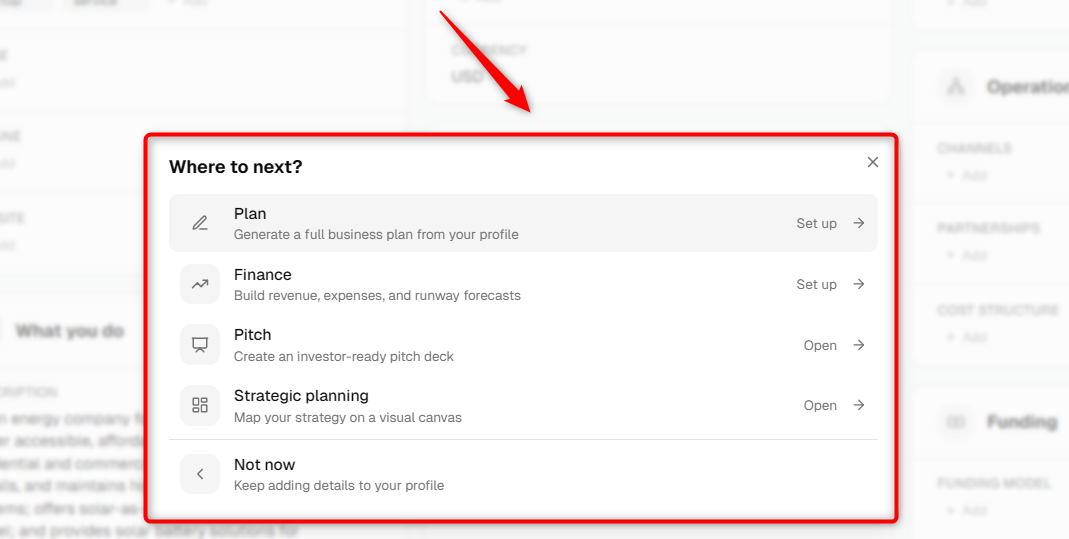
After completing your Business Profile, click What's next? in the upper-right corner.
From there, you can choose to:
- Create your Business Plan.
- Set up your Financial Forecast.
- Open your Pitch Deck.
- Start Strategic Planning.
- Return to your Company Home by selecting Not now.
TIP: You don't have to complete your Business Profile in one sitting. The system automatically saves your progress, so you can return and continue editing at any time.
How to generate your Business Plan with AI
- 1
-
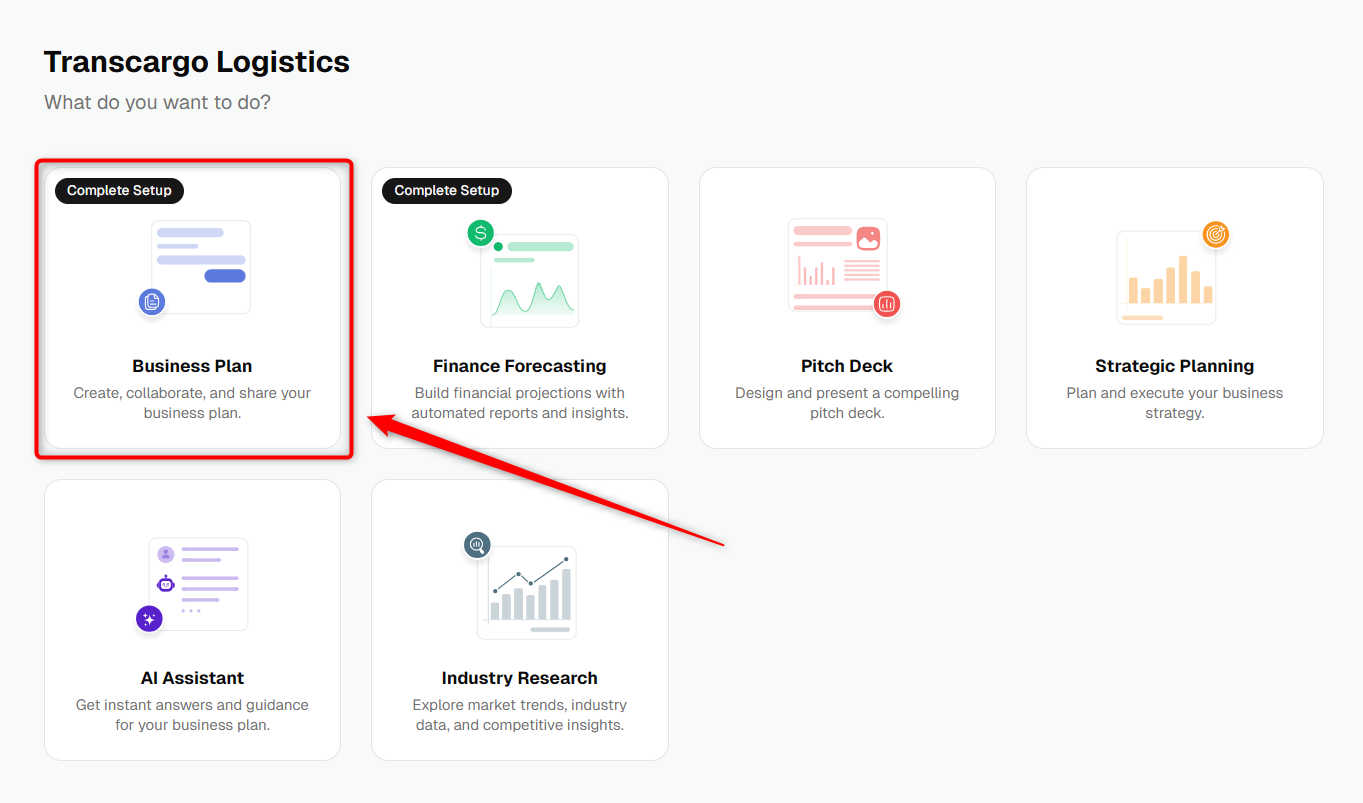
Open your company from the Companies list and click Business Plan from the left navigation menu.
- 2
-
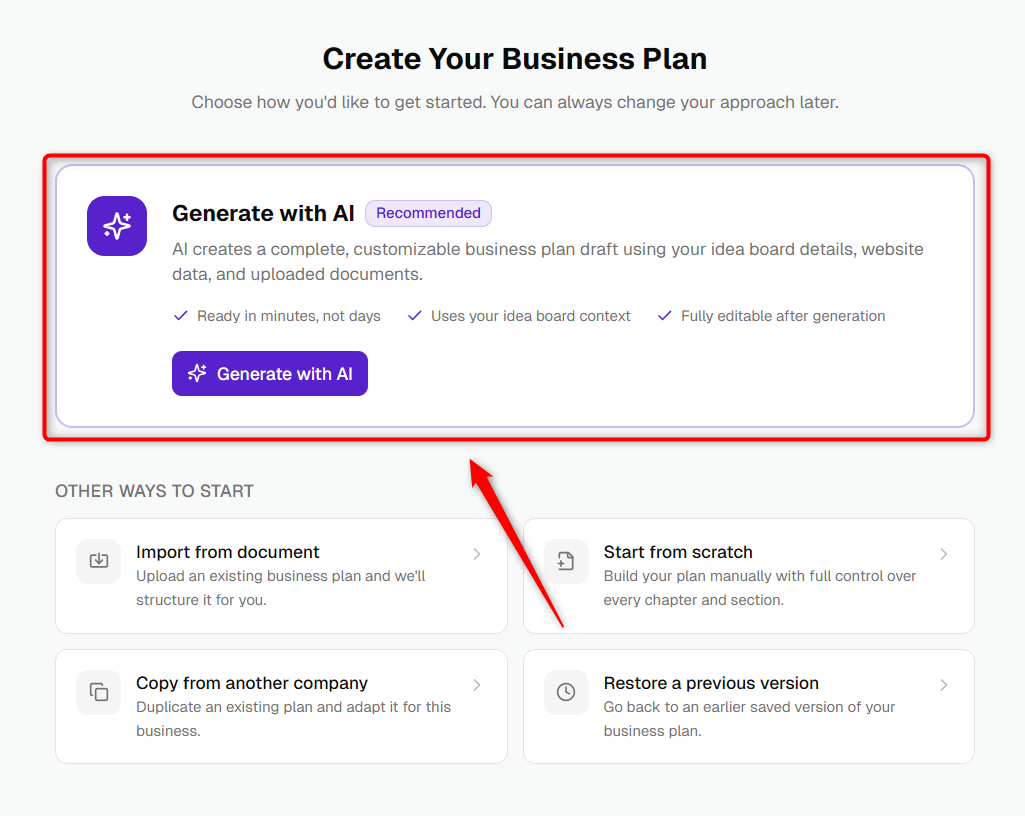
Inside the business plan builder, click Generate with AI. The system uses the details from your Company setup and your Idea answers to draft a complete plan.
- 3
-
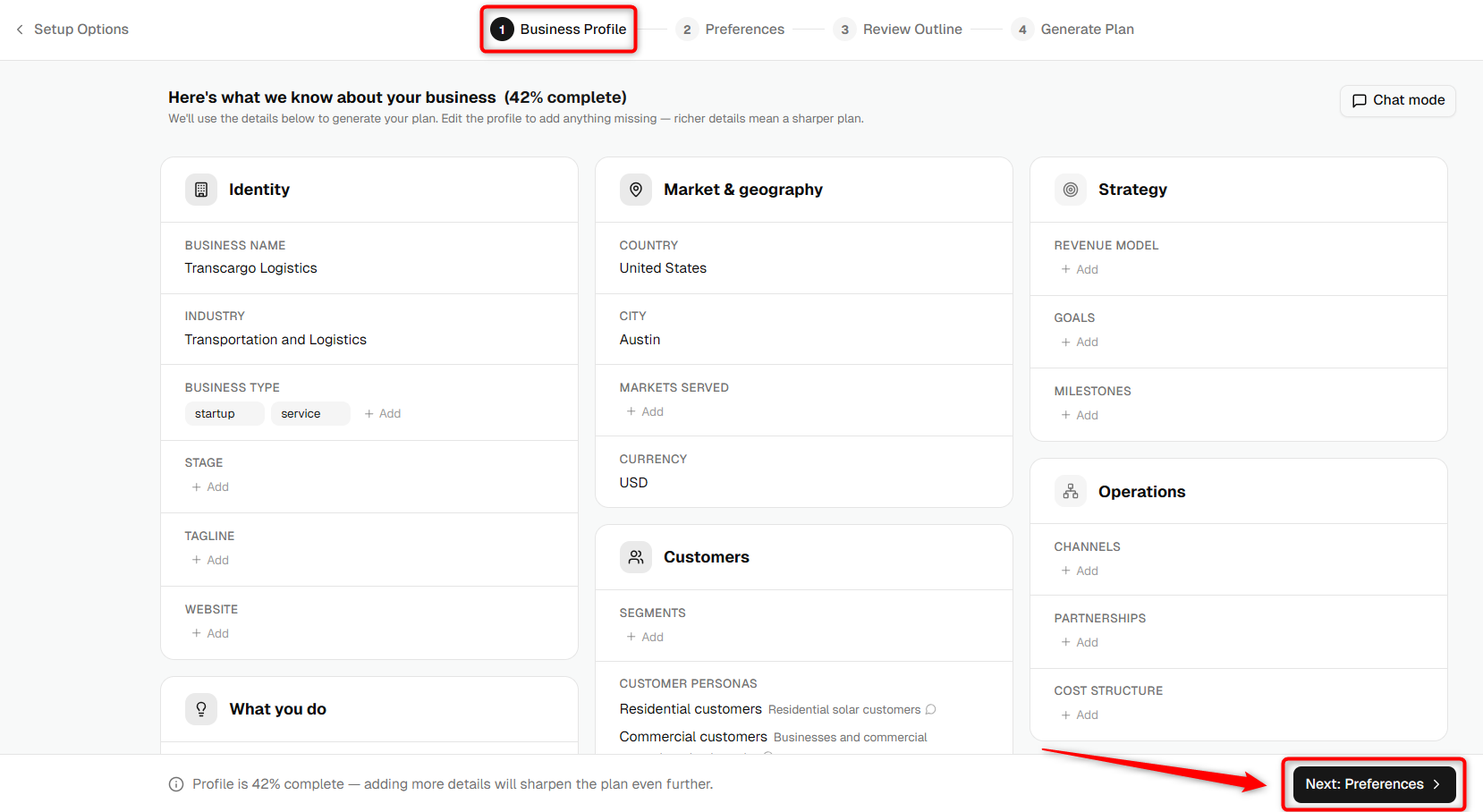
You'll first be taken to the Business Profile review page. Review the information collected for your business and make any necessary changes.
When you're satisfied with the information, click Next: Preferences to continue.
- 4
-
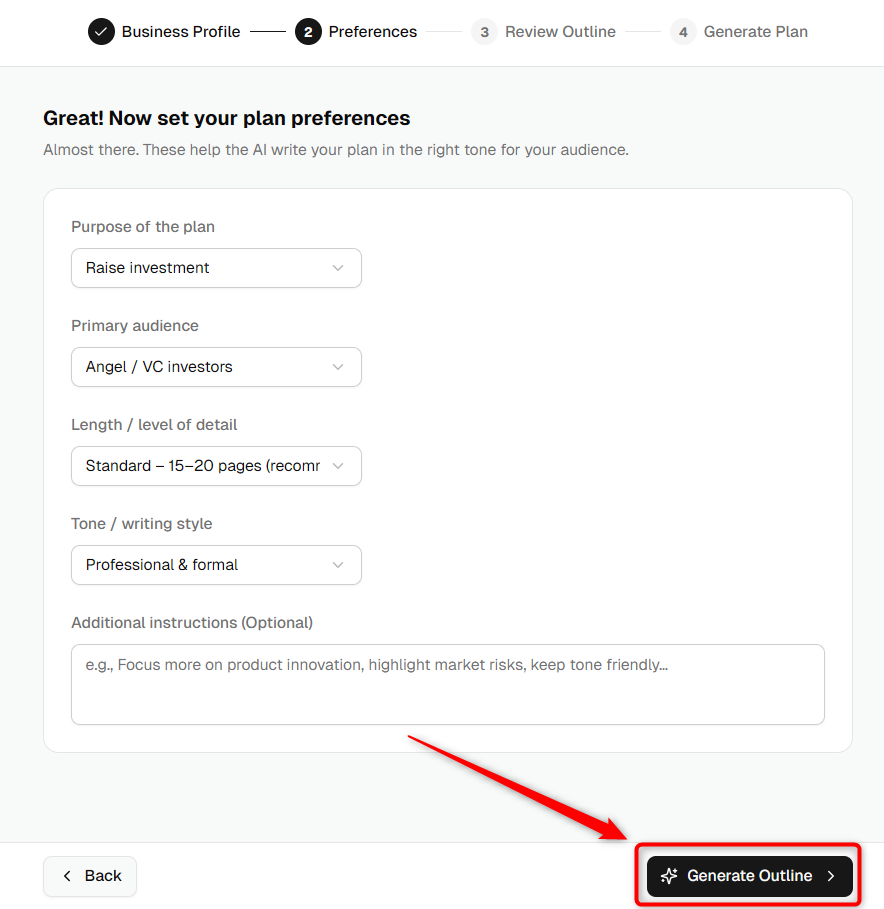
In the Preferences step, customize your business plan by selecting your preferred: Purpose, Writing Tone, Audience, and Depth. Once you've selected your preferences, click Generate Outline.
- 5
-
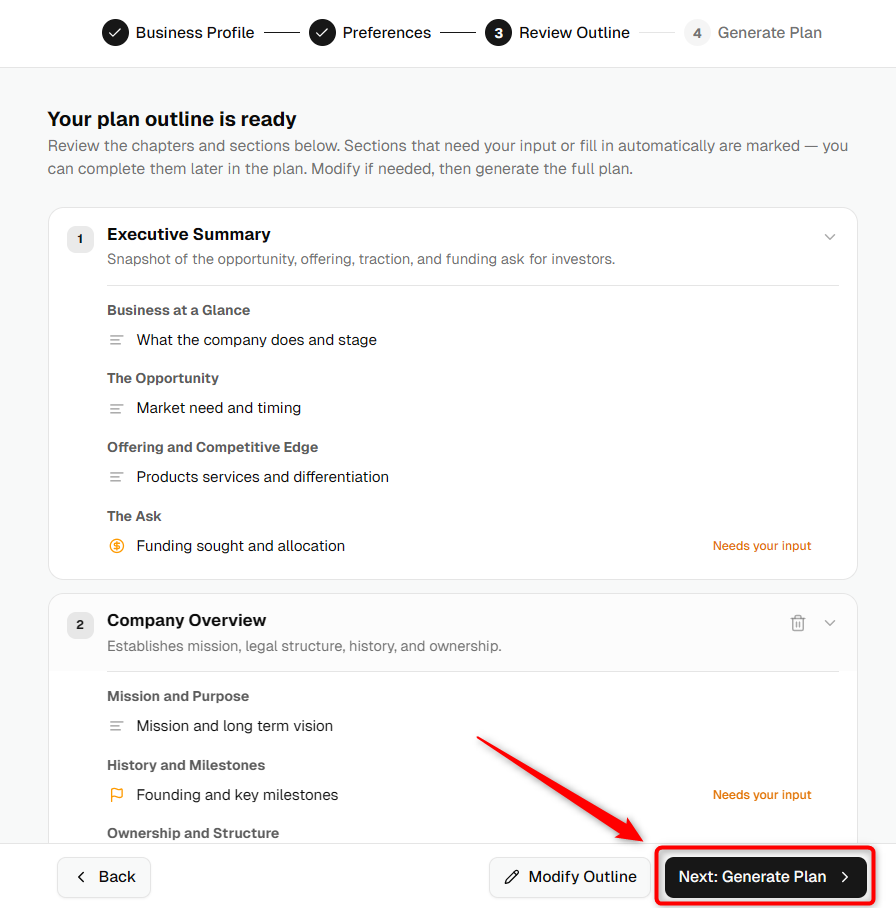
Review the AI-generated outline and make any changes you need. Once you're satisfied with the structure, click Generate Full Plan.
- 6
-
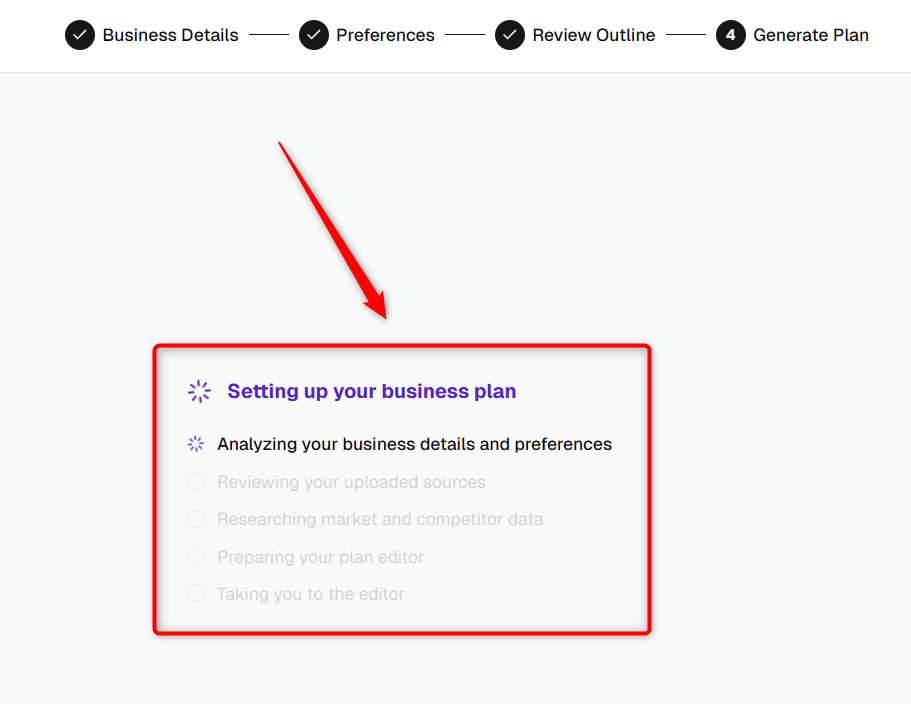
A pop-up message will appear, stating, Setting up your business plan, indicating that the AI is actively working on generating your business plan.
- 7
-
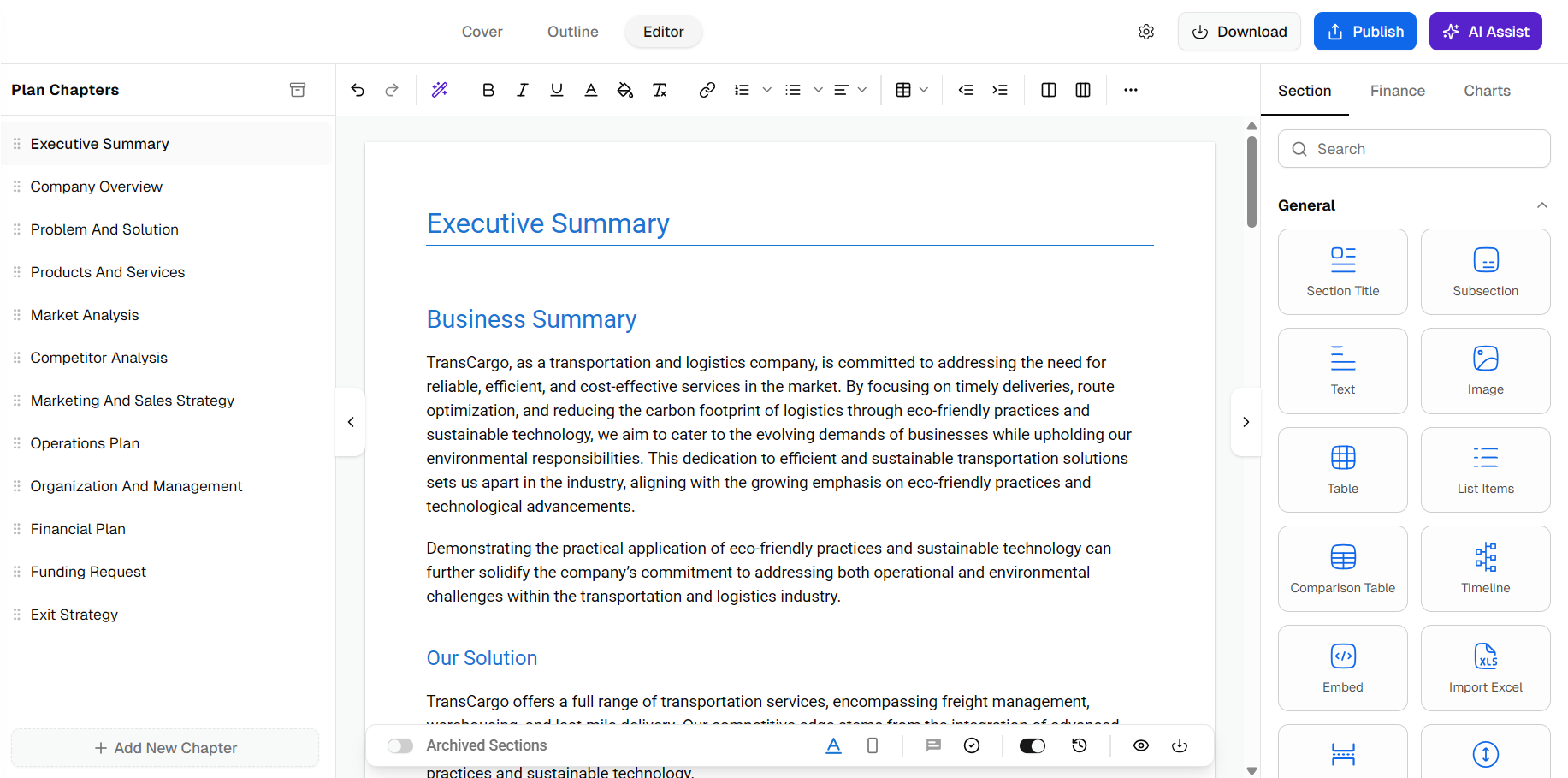
Once generation is complete, your AI-created business plan opens in the editor. You can edit the content, update chapters, or continue refining your plan as needed.