-(1).png)
How to translate my Business Plan content into other languages?
Simplifying Global Business Planning with AI Translator, communicating effectively with international stakeholders is essential for any business looking to expand globally.
AI Assistance, supported by the writing assistant, can translate your text into multiple languages, including English, Italian, French, German, and Spanish, among others.
TIP: To switch the language of your interface, click here to configure your settings.
This article introduces you to AI Assistance, which helps simplify this process by ensuring your business plans are accessible in multiple languages.
How to Translate Your Business Plan’s Content:
- 1
-
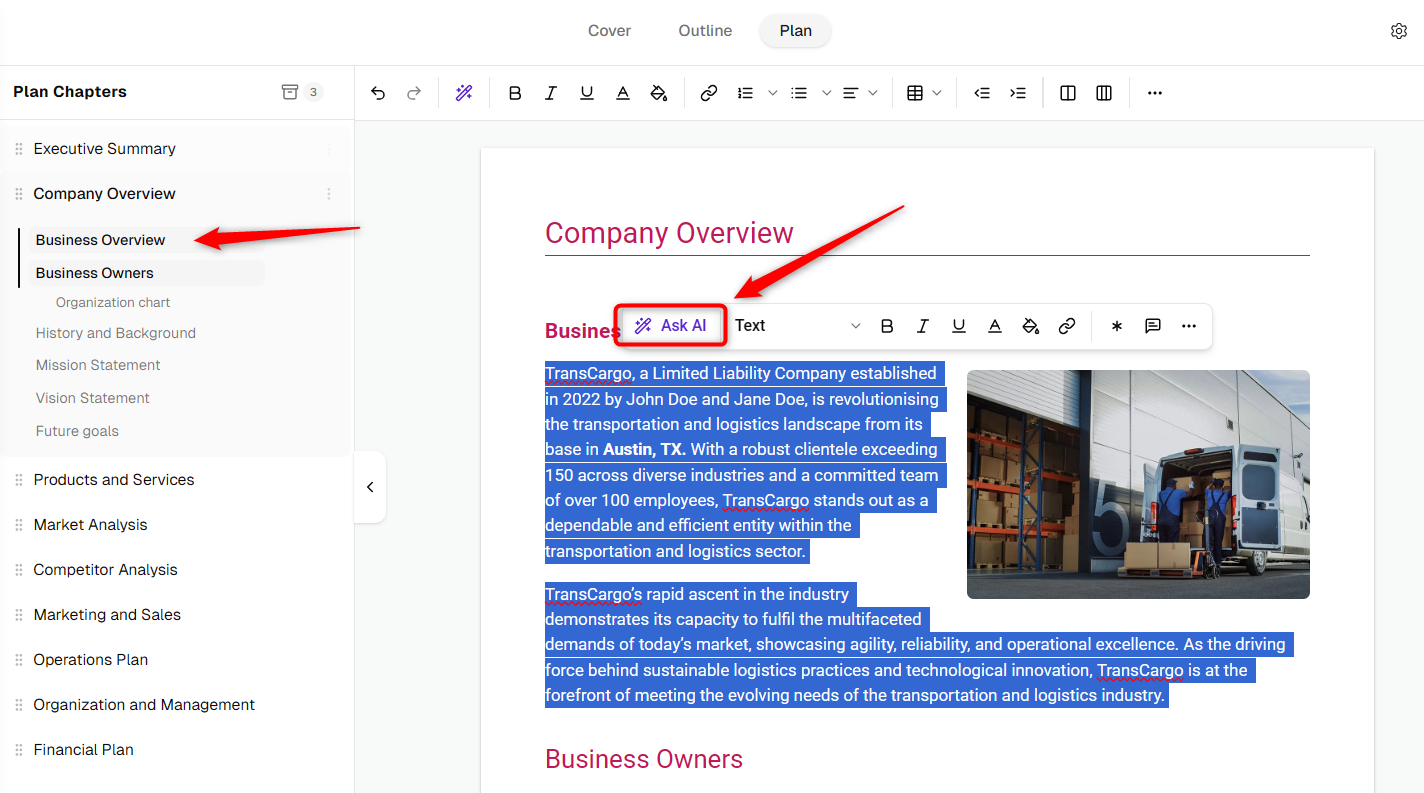
Navigate to the section of your business plan that you want to translate. Select the text you want to translate and Click on the Ask AI button located within the section editor.
- 2
-
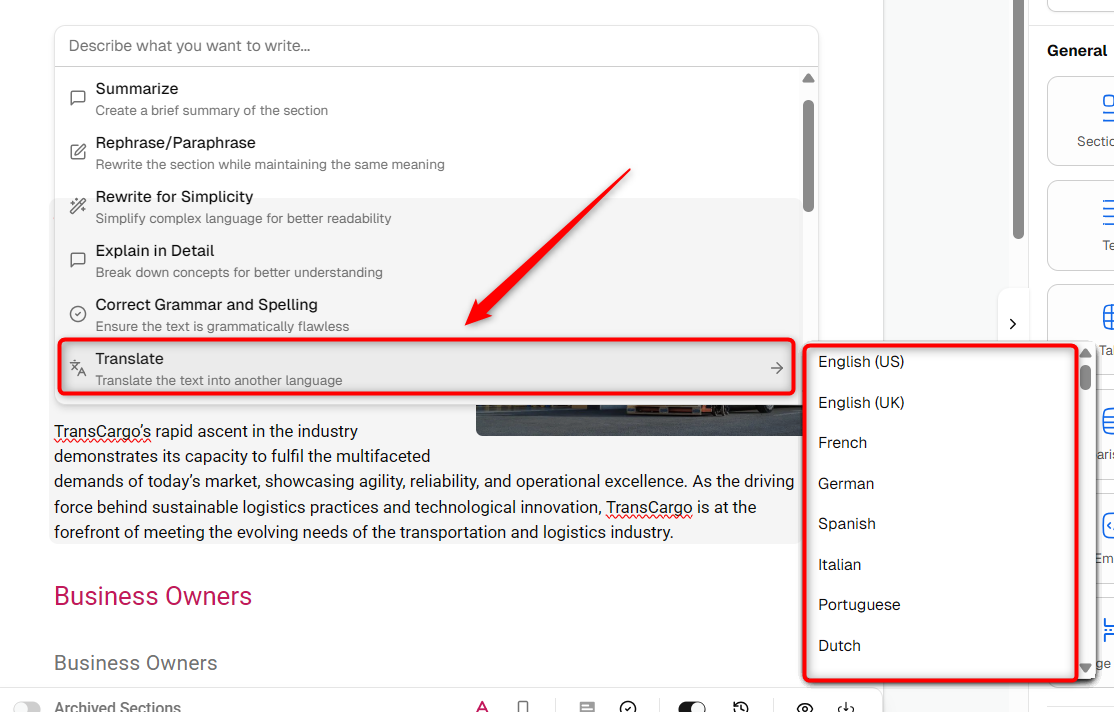
A pop-up will appear.
Now, click on the Translate button. This will open a drop-down menu with different language options.
i.e., Let’s translate Business Plan content from English to Spanish:
- 3
-
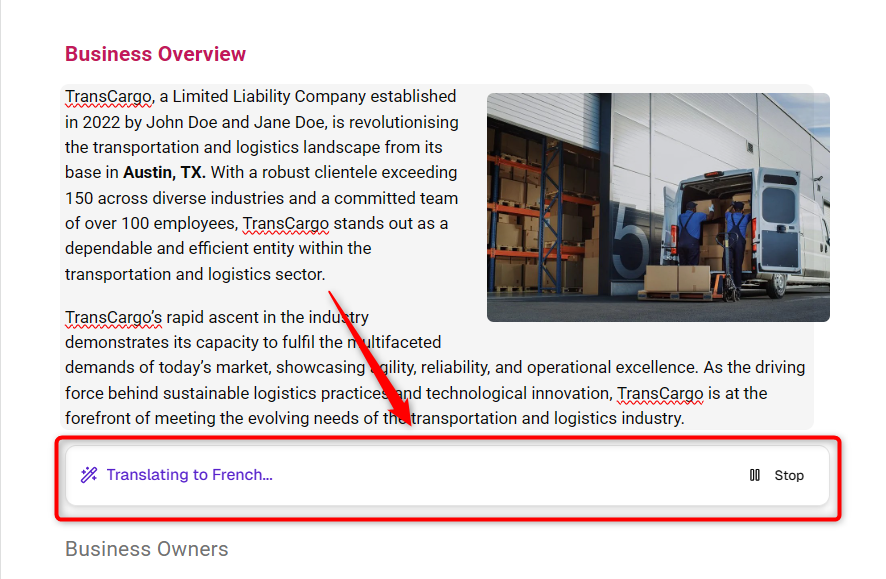
By clicking, the AI will begin translating the selected content into the chosen language.
- 4
-
Once the translation is complete, save it directly to your business plan and click on Accept. If you wish to refine the translation further, click on Try again.
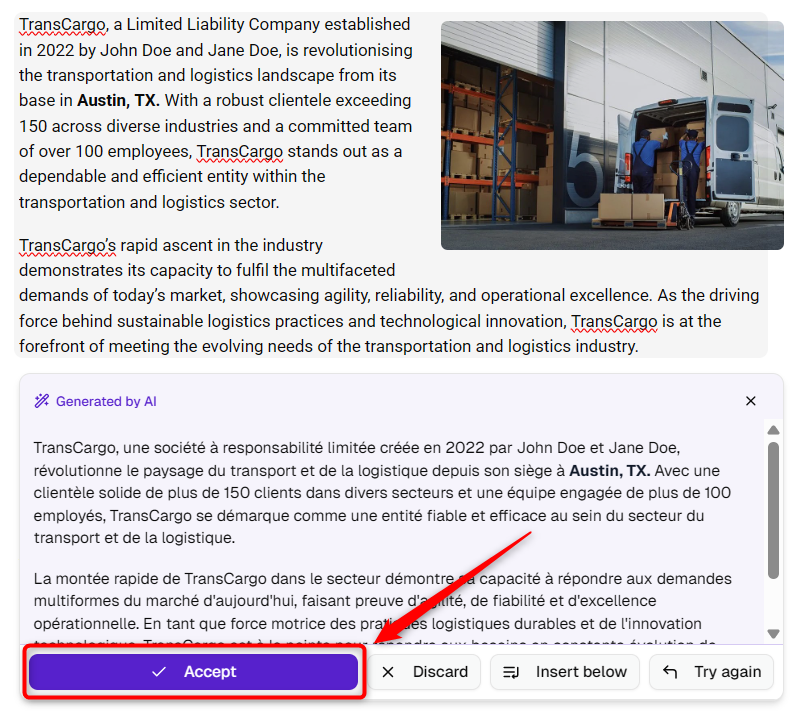
NOTE: You can translate text from any language into any of the available languages with the help of AI assistance.
Using these steps in your article not only clearly explains the process but also highlights the ease and functionality of the AI Translator. This can help your readers effectively utilize this tool to enhance their global business communications.