-(1).png)
Get Your Pitch Download
Downloading your pitch is a straightforward process that allows you to save a copy of your pitch deck for offline use or sharing.
You can quickly download your pitch in a format that works best for presenting to investors, sharing it with the team, or keeping it as a record.
Steps to download your pitch deck
- 1
-
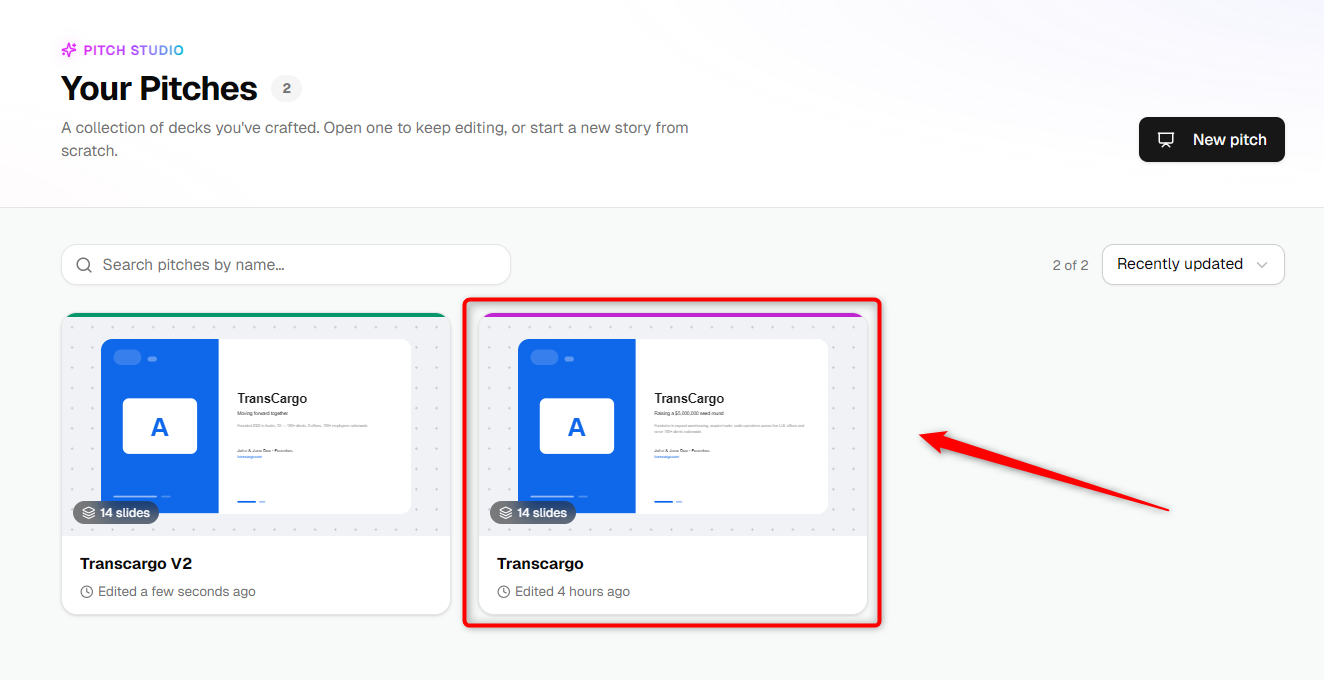
From the Pitch Studio dashboard, open the pitch you want to download.
- 2
-
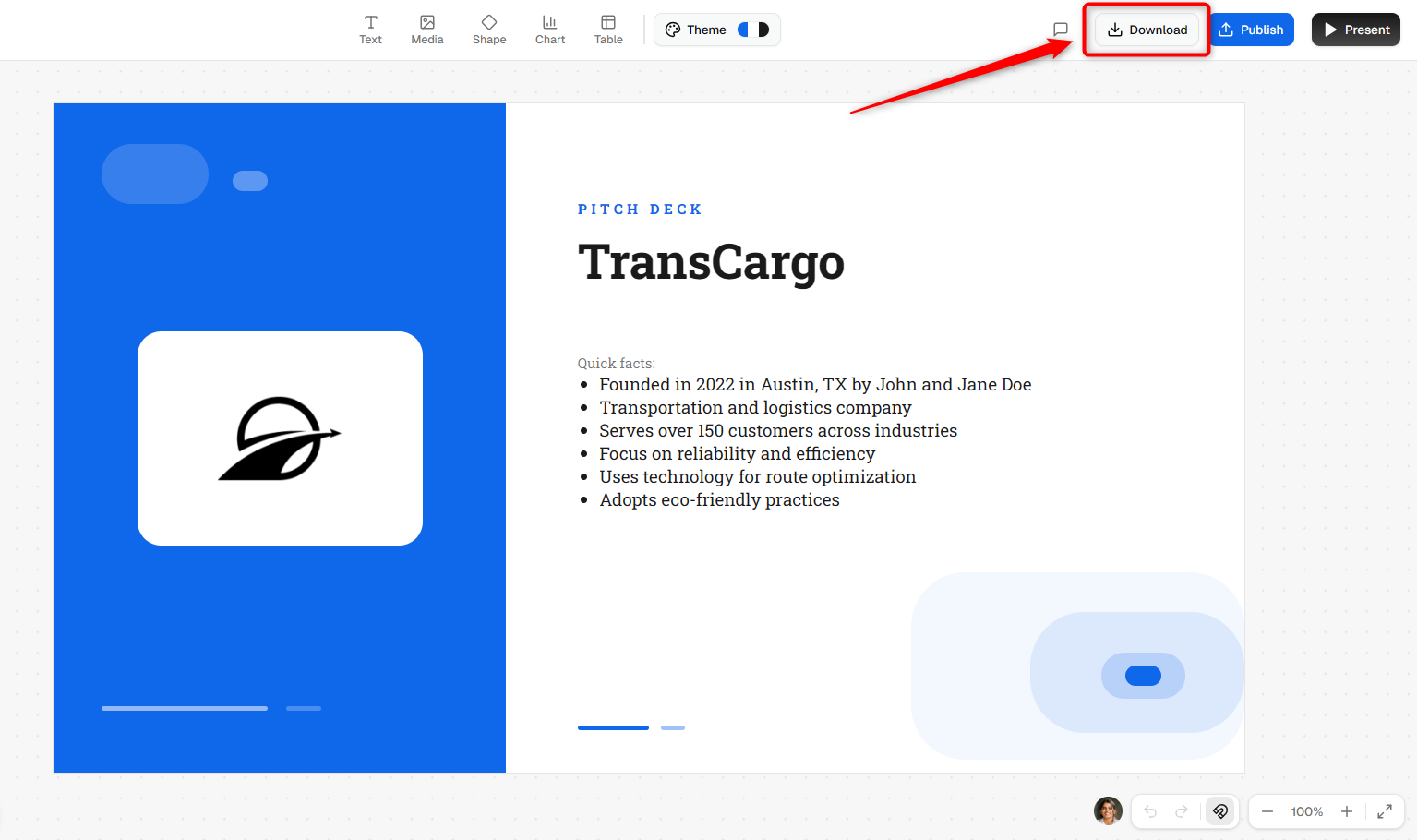
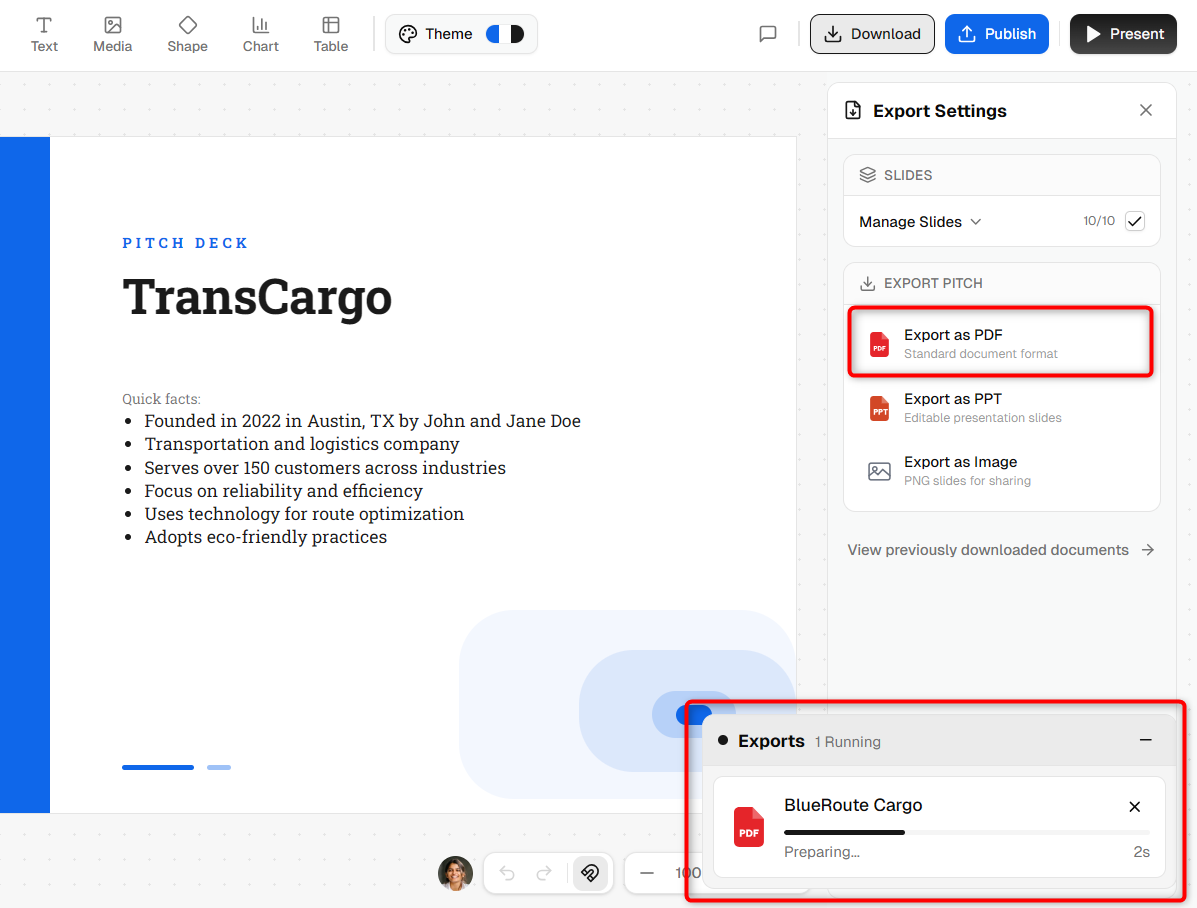
Once the pitch opens in the editor, click the Download button located in the top-right corner.
- 3
-
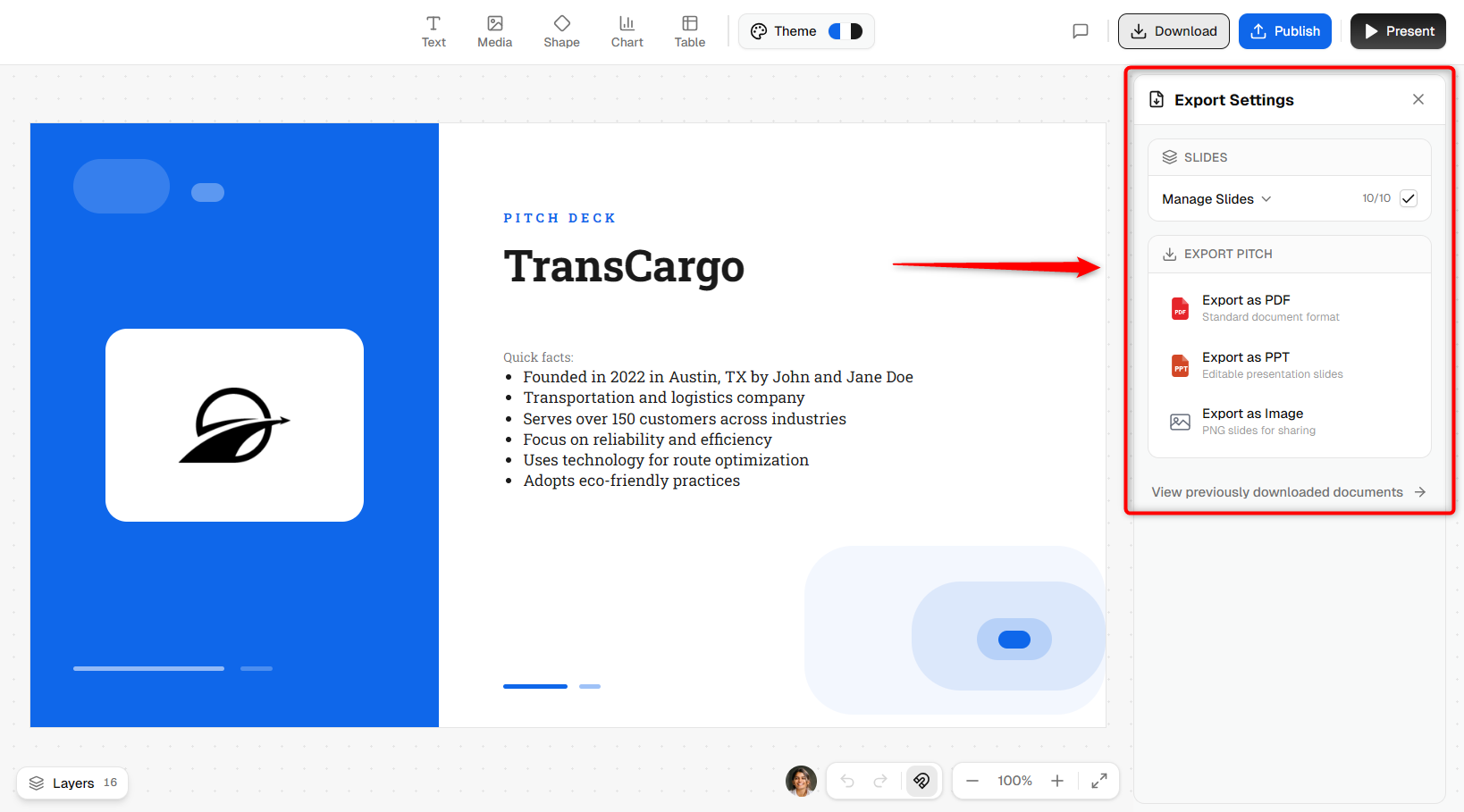
The Export Settings panel will appear on the right side of the screen.
- 4
-
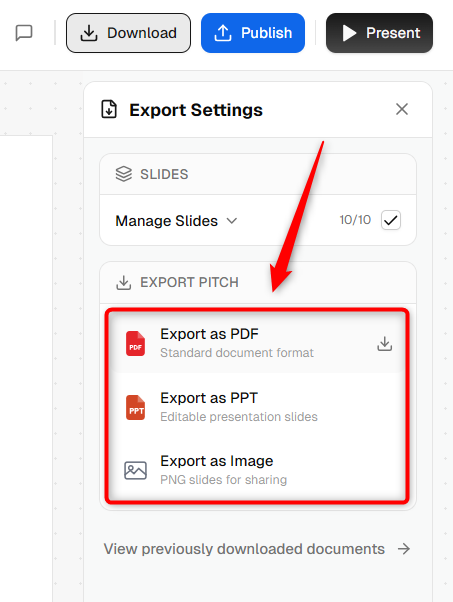
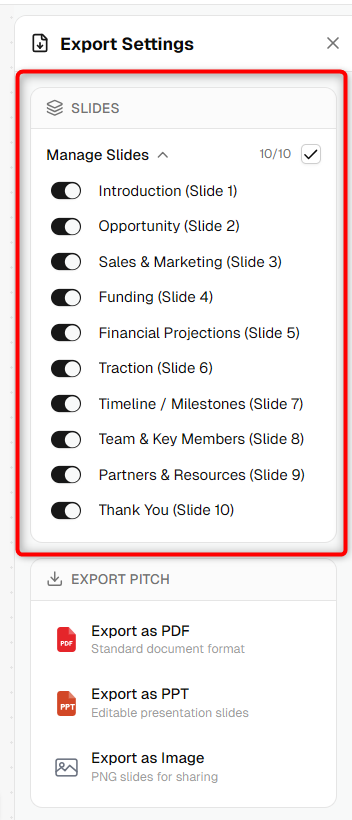
Under the Export Pitch section, choose the format you want to download:
- Export as PDF – Standard document format.
- Export as PPT – Editable PowerPoint presentation.
- Export as Image – PNG slides for sharing.
- 5
-
Click Manage Slides to select which slides should be included in the export.
- 6
-
Click your preferred export format. The export process will begin automatically.
TIP: Use the Manage Slides option to export only the slides relevant to a specific audience or presentation.
Once the export is complete, your pitch deck will be available in the selected format and ready to share, present, or store for future use.